MEPCO Bill Check Online 2026 – Download Duplicate Bill
MEPCO Bill Check Online in seconds by entering your 14-digit Reference Number or Customer ID to view, download, and print your duplicate electricity bill.

Homeowners in the MEPCO area can check, view, and download their MEPCO online bill. You can also view your latest Multan electricity bill, check the bill’s last date, and download a duplicate bill without visiting a subdivision center.
To check your bill online, use your 14-digit reference number or 10-digit customer ID and print it on your previous bill. The online MEPCO bill website will allow consumers to quickly access their monthly bill.
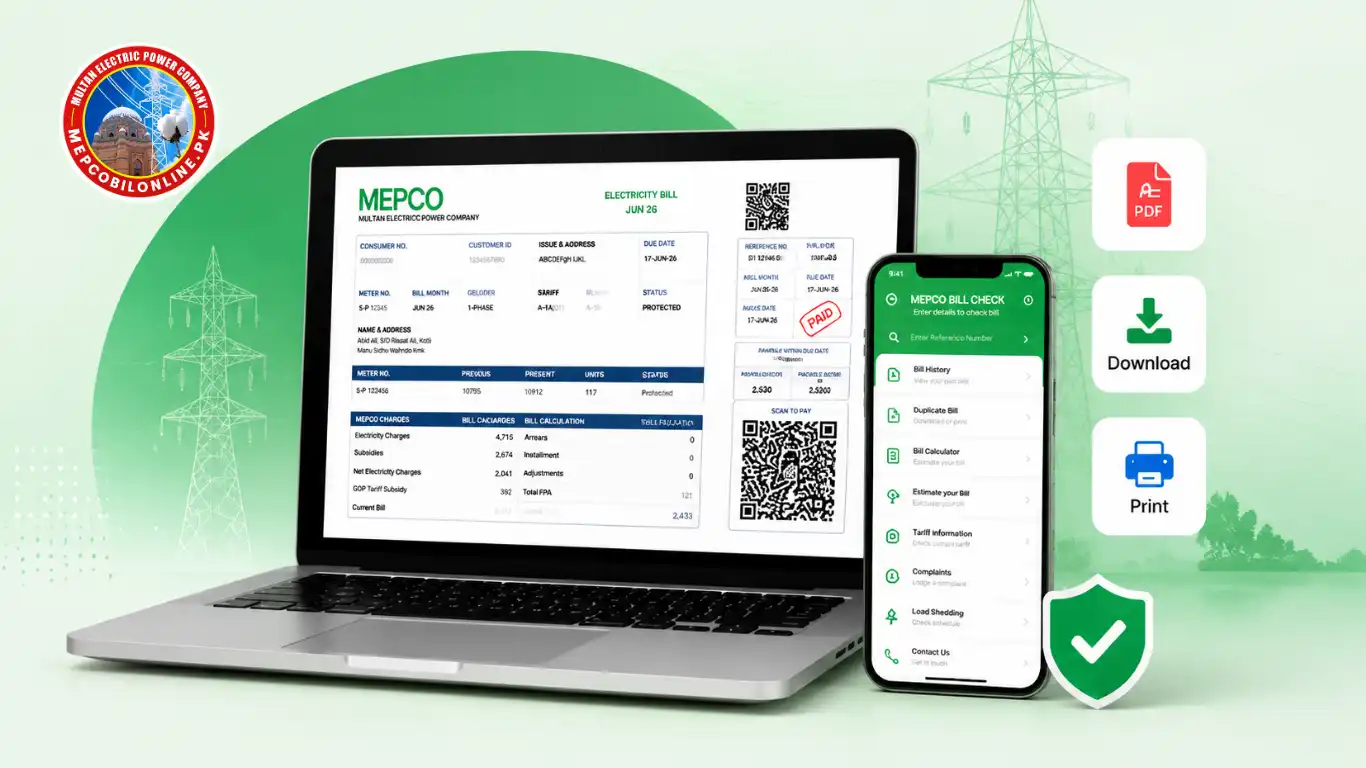
Check Your MEPCO Online Bill
Check MEPCO online bill by reference number.
Your 14-digit Reference Number is printed in the top-left corner of any previous MEPCO paper bill, inside a box labeled “REFERENCE NO.” Keep this number saved on your phone. It never changes even when your bill amount changes each month.
Check MEPCO Online Bill by Customer ID
Type or paste your 10-digit number in the checker above and press “Check Bill.” The system will provide your current bill within 3–8 seconds.
Download and Print MEPCO Duplicate Bill.
After checking your bill online, you can download or print your MEPCO duplicate bill for payment and record purposes.
How to Check MEPCO Online Bill?
Follow these simple steps to view, download, or print your bill:
- Enter your reference or customer ID.
- Verify that your entered ref or customer number is correct.
- Click the “Check Bill” button.
- View your bill details, including bill amount, due date, and tax charges.
- Download your MEPCO duplicate bill.
- Print a copy of your bill.
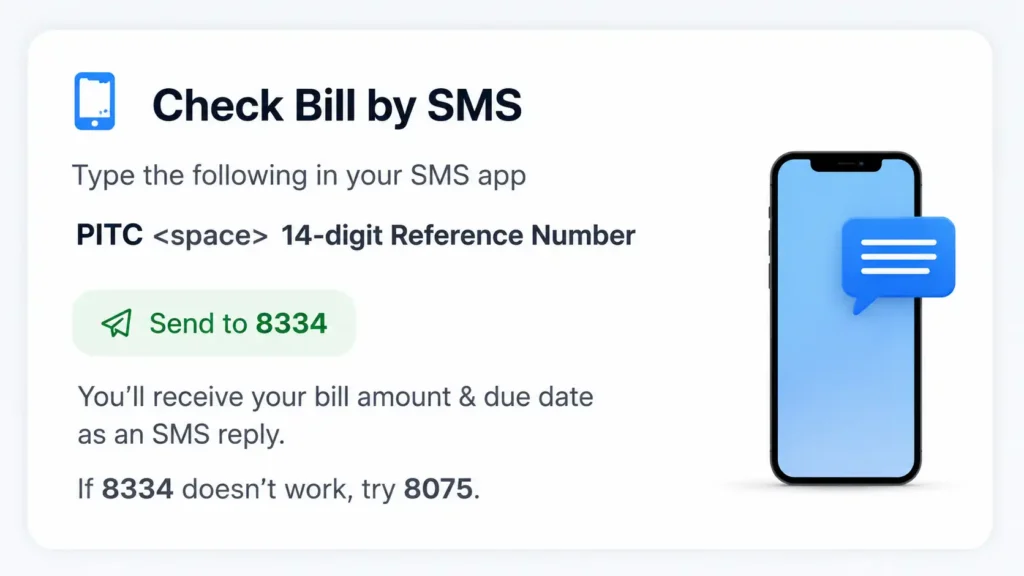
Check MEPCO Bill by SMS (Without Internet)
No internet access? MEPCO offers a fast SMS bill check:
- Open your phone’s SMS app
- Type: PITC [space] [your 14-digit reference number]
- Send to 8334
- You’ll receive your bill amount and due date as an SMS reply
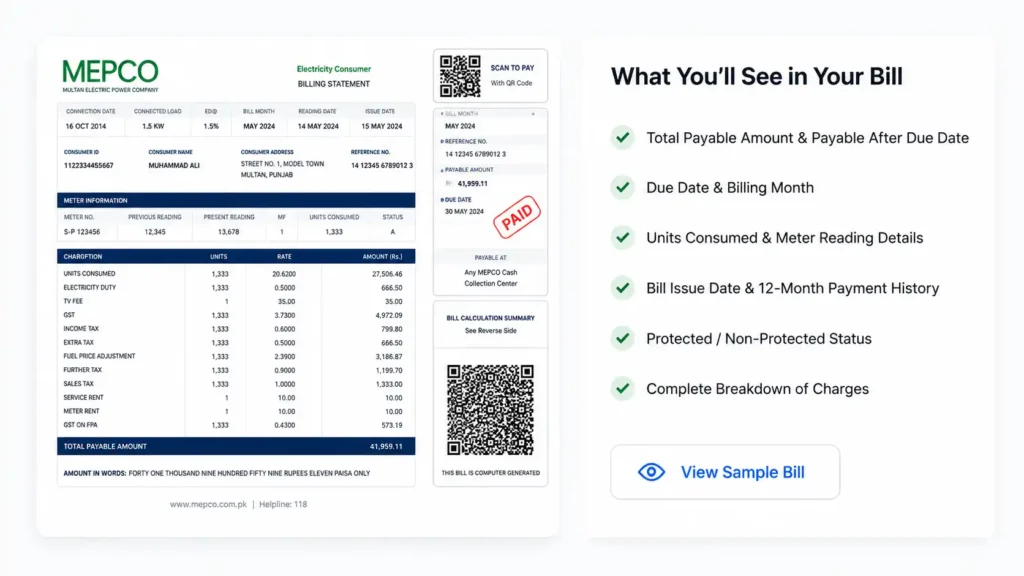
What You’ll See in Your MEPCO Bill
Real bill data displayed includes:
- Total Payable Amount
- Payable After Due Date
- Due Date
- Billing Month
- Units Consumed
- Meter Reading Date
- Bill Issue Date
- 12-Month History
- Protected/Non-Protected Status
About MEPCO (Multan Electric Power Company)
MEPCO (Multan Electric Power Company) was incorporated on 14 May 1998 as a public limited company under the Ministry of Energy (Power Division). Originally part of WAPDA, it was restructured to serve the electricity distribution needs of South Punjab exclusively. MEPCO is responive for:
- Electricity bill generation
- Meter reading and monitoring
- Consumer connection management
- Bill correction services
- New connection applications
- Customer support services
Districts that fall under MEPCO are listed below:
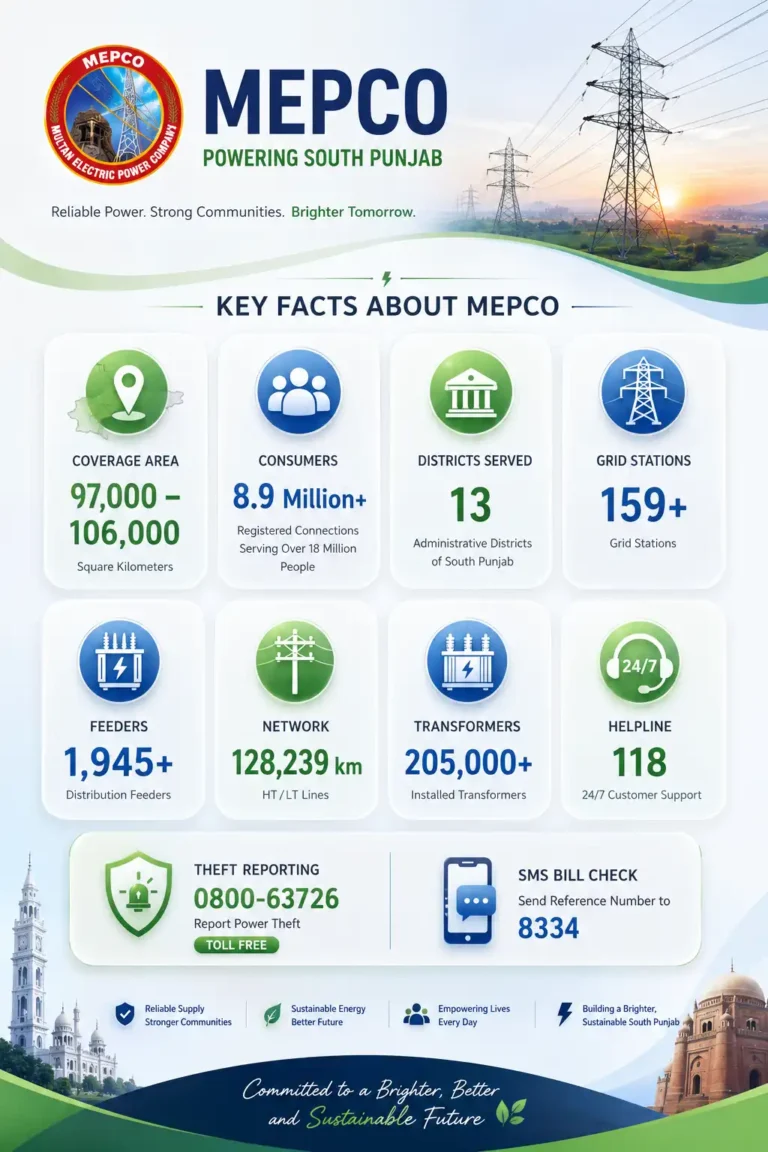
Key Facts About MEPCO:
- Coverage: approximately 97,000–106,000 sq km (MEPCO’s official coverage area varies by reporting period)
- Consumers: approximately 8.9 million registered consumer connections serving a population of over 18 million people across South Punjab.
- Districts Served: 13 administrative districts of South Punjab
- Grid Stations: 159+ grid stations and 1,945+ feeders (as of 2025; expanding under MEPCO’s 2025–2030 investment plan)” to future-proof the claim.
- Network: 128,239 km of HT/LT lines, 205,000+ transformers
- Helpline: 118 (24/7) | Theft Reporting: 0800-63726
- SMS Bill Check: Send Reference Number to 8334
Understanding Your MEPCO Online Bill
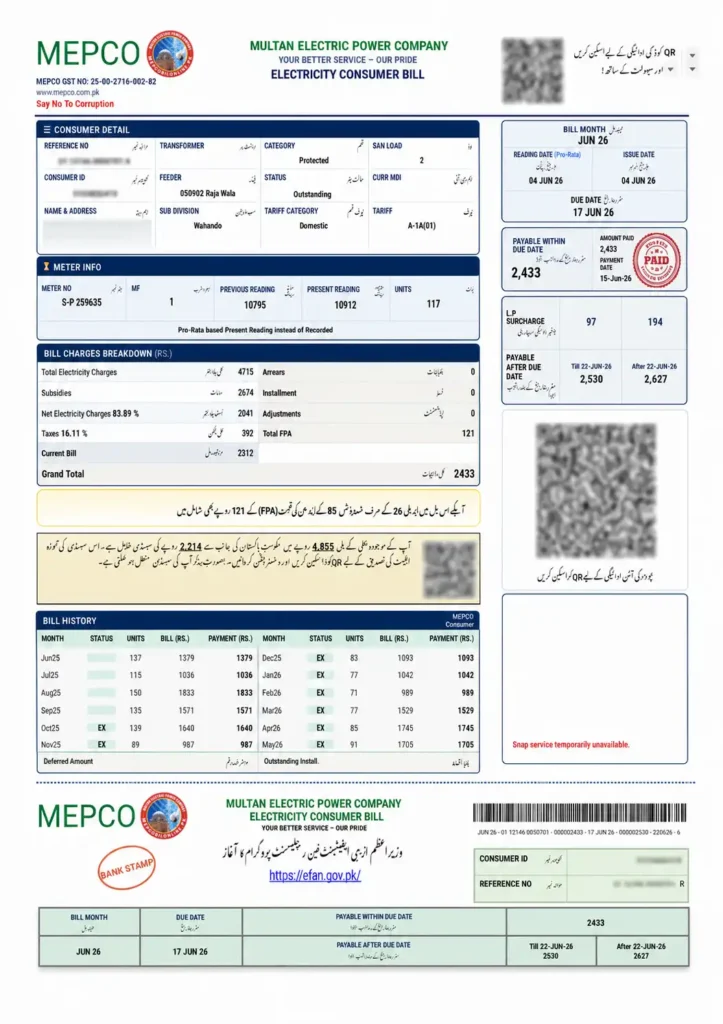
Your MEPCO Online Bill contains several sections that show your electricity usage, charges, and connection details. Understanding these details helps you verify your electricity bill, identify unusual charges, and keep track of your monthly consumption.
A typical bill includes information such as meter reading, consumed units, tariff category, taxes, adjustments, and previous billing history. Each section explains how your monthly bill amount is calculated.
Previous and Present Meter Reading
The previous reading and present reading show the difference between your last and current meter readings.
- Previous reading shows the meter value recorded in the last billing cycle.
- Present reading shows the latest meter reading taken during the current billing period.
The difference between these readings determines your electricity consumption for the month.
For example, if your previous reading was 2,000 units and the present reading is 2,150 units, your consumed units will be 150.
Checking these values helps you identify incorrect readings and report any meter reading issues if required.
Units Consumed and Pro Rata Consumption
The units consumed section shows how much electricity you used during the billing period. These units directly affect your total bill amount.
Your electricity consumption is calculated based on:
- Previous and present meter readings
- Meter factor (MF)
- Billing period
- Connection type
Sometimes, your bill may show pro rata consumption, which means the usage has been calculated according to the number of days in the billing cycle. This usually happens when there is a change in meter reading dates or billing adjustments.
Understanding your consumed units helps you monitor usage and find ways to reduce your MEPCO electricity bill.
Bill Tariff Details
The MEPCO tariff section shows the electricity rate category applied to your connection. The tariff depends on your connection type, such as residential, commercial, or industrial usage.
Your bill may include details like:
- Tariff category
- Unit rates
- Fixed charges
- Electricity charges
Protected and Unprotected Users
MEPCO customers are generally categorized as protected users and unprotected users based on electricity consumption and government-defined criteria.
Protected users usually have lower electricity consumption under 200 units and may receive different tariff benefits.
Unprotected users are consumers whose usage exceeds up to 200 units, the protected category limits and are charged according to applicable rates.
Your consumer category affects the calculation of your electricity tariff rates and overall bill amount.
Sanctioned Load and Meter Factor (MF)
The sanctioned load represents the maximum electricity load approved for your connection. It is measured in kilowatts (kW) and determines the capacity allowed for your electricity usage.
The meter factor (MF) is used in the calculation of electricity consumption, especially for certain types of meters.
These details help MEPCO calculate accurate billing based on your connection specifications.
Taxes, Adjustments and Additional Charges
Your MEPCO bill taxes section includes different government charges and billing adjustments added to your electricity charges.
Common charges may include:
- GST (General Sales Tax)
- Electricity duty
- Fuel Price Adjustment (FPA)
- Quarterly tariff adjustments
- Other applicable charges
12 Month Bill History
The 12 month bill history section shows your previous electricity usage and payment records. It helps you compare your monthly consumption patterns and understand changes in your bill amount.
By reviewing your past bills, you can:
- Track electricity usage trends
- Identify months with higher consumption
- Plan better energy-saving strategies
- Monitor your payment history
MEPCO Transmission & Distribution Challenge
One challenge MEPCO continues to face is T&D (Transmission & Distribution) losses. In FY 2024-25, NEPRA data showed MEPCO’s T&D losses at 13.33% against a target of 11.34%. These losses, partly caused by power theft and aging infrastructure, are a key reason why some feeder areas experience longer load shedding and why MEPCO’s investment plan of Rs. 86.4 billion for 2025–2030 was submitted to NEPRA for approval.
MEPCO KYC (Know Your Consumer)
MEPCO (Multan Electric Power Company) requires consumers to complete KYC (Know Your Consumer) verification to update CNIC and mobile number records. This ensures accurate billing and account association.
How to Update MEPCO KYC
You can easily verify and update your information using the official online portal:
- Visit the Portal: Navigate to the PITC Occupant’s Mobile/CNIC Registration Portal.
- Enter Details: Input your 14-digit Reference Number (found at the top of your bill), your CNIC, and your Mobile Number.
- Verify OTP: You will receive a One-Time PIN (OTP) on your mobile number. Enter it into the portal to complete the verification.
Alternative Update Methods
If you are unable to use the online portal, you can:
- Mobile Apps: Download and use the official MEPCO SMART App or the PowerSmart App to update your details.
- In-Person: Visit your nearest MEPCO Customer Facilitation Center (CFC) or Sub-Division Office with a copy of your CNIC and recent bill.
MEPCO Bill Charges Explained
Your MEPCO bill is not just one charge, it contains 11 components in 2026:
| Charge | What It Is |
| Energy Charges | Units consumed × slab rate |
| FPA (Fuel Price Adjustment) | Monthly variable, typically Rs. 2–8/unit |
| FC Surcharge | Fixed Rs. 0.43/unit for circular debt |
| TR Surcharge | Bridges NEPRA vs government rate gap |
| QTA | Applies to domestic users above 300 units |
| Meter Rent | Fixed monthly fee (Rs. 300 to 1000) |
| GST | 18% on total bill (exempt for lifeline consumers) |
| Electricity Duty | Punjab provincial tax: 1–1.5% above 100 units |
| PTV License Fee | Rs. 35 domestic / Rs. 60 commercial |
| Income Tax | On commercial & high-consumption residential users |
| Late Payment Surcharge | 5–10% if paid after due date |
Note: the GoP has periodically revised or waived this charge, check your current bill for the active amount.
What is FPA?
FPA (Fuel Price Adjustment) is the most confusing charge on any MEPCO bill. It changes every month based on the difference between actual fuel costs and reference fuel costs used for electricity generation. When global oil prices rise, FPA increases your bill. When fuel is cheaper, FPA can reduce your bill or even show as a credit (negative FPA).
NEPRA Prosumer Regulations 2026 (Solar / Net Metering)
Effective from February 9, 2026, NEPRA replaced Net Metering 2015 with new Prosumer Regulations. For solar consumers, the buyback rate dropped from Rs. 25–26/unit to Rs. 10–11/unit.
MEPCO Bill Installment Facility
MEPCO offers bill installment plans approved by different officers at different limits:
- AMO: Up to 3 installments for bills up to Rs. 10,000 (running) / Rs. 20,000 (disconnected)
- DMO: Up to 3 installments for bills up to Rs. 2,00,000 (running) / Rs. 1,00,000 (disconnected)
- MO: Up to 4 installments for bills up to Rs. 2,00,000 (running) / Rs. 5,00,000 (disconnected)
MEPCO Bill Not Showing Online? Common Reasons
| Problem | Solution |
| Incorrect Reference Number | Check your previous MEPCO electricity bill and enter the reference number exactly as printed. Make sure there are no extra spaces or typing mistakes. |
| Customer ID Issues | Verify your customer ID from your old bill and make sure it belongs to your electricity connection. You can also try checking your bill through the reference number. |
| Portal or System Problems | Wait for some time and try again later. If the problem continues, contact MEPCO customer support for assistance. |
MEPCO Bill by CNIC
The official MEPCO website at mepco.com.pk allows you to find your Reference Number using your CNIC. This is different from checking the bill by CNIC. After that, you can easily check your bill.
MEPCO Apna Meter Apni Reading
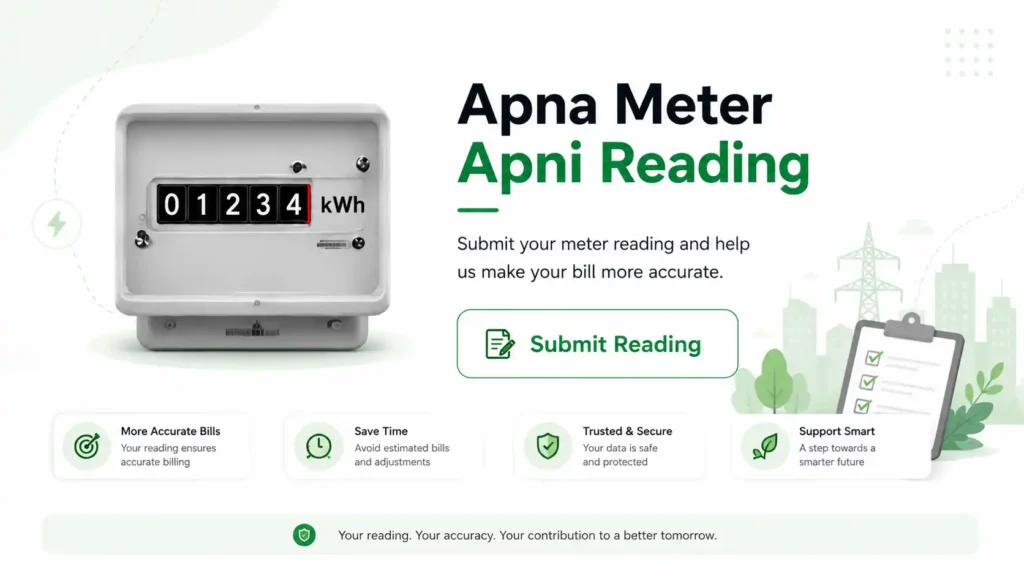
The “Apna Meter Apni Reading” initiative is a government program allowing electricity consumers across Multan to self-report their monthly meter readings. By using the Power Smart App, you can upload a photo of your meter on a specific designated date, effectively eliminating issues like overbilling and inaccurate readings.
How to Use the Power Smart App:
- Download the App: Find and download the official Power Smart App from the Google Play Store (for Android) or the iOS App Store.
- Select Self-Billing: Open the application and navigate to the “Self Billing” or “Apna Meter Apni Reading” option.
- Enter Details: Input your 14-digit Reference Number from your previous electricity bills.
- Capture the Meter: Use the in-app camera to take a clear, well-lit picture of your meter. The image must clearly show the meter reading numbers and the serial number.
- OTP Verification: You will receive a One-Time Password (OTP) on your registered mobile number. Enter it to verify and send your reading.
- Billing Generation: The data and photo are sent directly to the respective electricity supply company to generate your exact bill.
MEPCO Protected vs Non-Protected — The 200-Unit Rule
This is the single most important thing to understand about your MEPCO bill.
Protected Consumers (≤ 200 units/month):
- Receive government-subsidized rates
- Pay approx. Rs. 18–22/unit all-inclusive
- Slab rates: Rs. 5.00 (1–50 units) → Rs. 7.77 (51–100 units) → Rs. 14.00 (101–200 units)
Non-Protected Consumers (> 200 units in any month):
- Pay full market rates
- Pay approx. Rs. 35–45/unit all-inclusive
- The entire bill is recalculated at non-protected rates — not just the excess units
- Once you cross 200 units, non-protected status applies for 6 consecutive billing cycles
How to Pay Your MEPCO Bill Online
Pay with Mobile Wallets (Fastest)
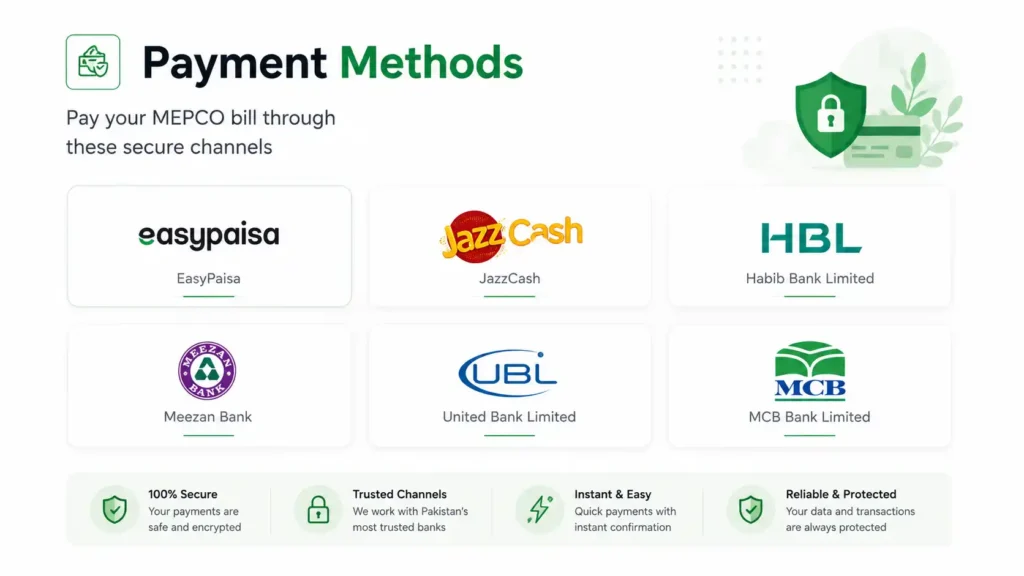
- JazzCash — Open app → Bill Payment → Electricity → MEPCO → Enter 14-digit Reference Number → Confirm
- Easypaisa — Same flow as JazzCash
- NayaPay — Bill Payments section
Mobile Banking Apps: HBL Mobile, UBL Digital, MCB Lite, Meezan Bank, Bank Alfalah — all support MEPCO bill payment under “Utility Bills”
Bank Branches: Any commercial or Islamic bank branch across Pakistan accepts MEPCO bills over the counter.
MEPCO Collection Points: Visit your nearest MEPCO subdivision or authorized collection center. Bring your bill or note the reference number.
⚠️ Payment Failed but Amount Deducted? Wait 48 hours for auto-reconciliation. If still showing “Unpaid,” contact your bank with the transaction ID and call MEPCO helpline at 118 or 0800-63726.
MEPCO Complaint & Helpline Numbers, WhatsApp & Complaint Status
Are you experiencing problems like incorrect bills, extended power outages, or faulty meters? You can lodge a MEPCO complaint by phone, SMS, email, or online and track its progress with the help of a reference number. This guide provides information on MEPCO’s complaint number, helpline details, step-by-step procedure for lodging a complaint, and what to do if Multan Electric Power Company (MEPCO) does not resolve your issue.
Quick contact box
- MEPCO helpline (24/7): 118
- SMS complaint: 8118
- Toll-free customer care: 0800-63726
- Email: complaint@mepco.com.pk
- Head office: MEPCO Complex, Khanewal Road, Multan
- Regulator (NEPRA): +92 51 2013200
MEPCO Peak Hours 2026 — When Electricity Costs More
If you have a TOU (Time of Use) or TOD (Time of Day) meter, you are charged different rates during peak and off-peak hours.
| Season | Peak Hours | Off-Peak Hours |
| June – August | 7 PM – 11 PM | All other hours |
| March – May & Sep – Nov | 6 PM – 10 PM | All other hours |
| December – February | 5 PM – 9 PM | All other hours |
Peak rate: ~Rs. 28.64/unit | Off-peak rate: ~Rs. 21.26/unit
Tip: Run washing machines, water pumps, and irons during early morning or late night to save on your bill.
Frequently Asked Questions About MEPCO Online Bill
A 14-digit number printed in the top-left section of every MEPCO bill, labeled “REFERENCE NO.” It is your permanent account identifier and never changes between months.
You cannot check your MEPCO bill amount directly with a CNIC. However, if you’ve lost your Reference Number, you can visit the official MEPCO website (mepco.com.pk) and use the CNIC-based Reference Number recovery tool to find your 14-digit number, then use that for bill checking.
A duplicate bill is a printable digital copy of your current electricity bill. It is accepted for payment at banks, Easypaisa, JazzCash, and MEPCO offices. Download it as a PDF from the tool above.
Yes. Checking, viewing, downloading, and printing your MEPCO bill online is 100% free. No registration or login required.
Common reasons: (1) Units crossed 200, triggering non-protected rates, (2) Higher FPA that month, (3) Estimated meter reading instead of actual, (4) AC usage during summer peak. Compare this month’s meter reading with the actual reading on your physical meter.
The due date is printed on your bill. MEPCO typically issues bills in a 2-month cycle. Pay before the due date to avoid a 5–10% late payment surcharge.
Call MEPCO helpline 118, visit your nearest subdivision office, or use the MEPCO complaint portal. Bring your current and previous bills for comparison.